Fast, Offline-Ready Restaurant Billing & POS Software.
Take orders, print bills and settle payments on any device. When the internet drops, eresto Edge keeps going and syncs everything the moment you're back. Looking specifically for restaurant billing software? We've put together a full guide — features, a buyer checklist, and pricing.
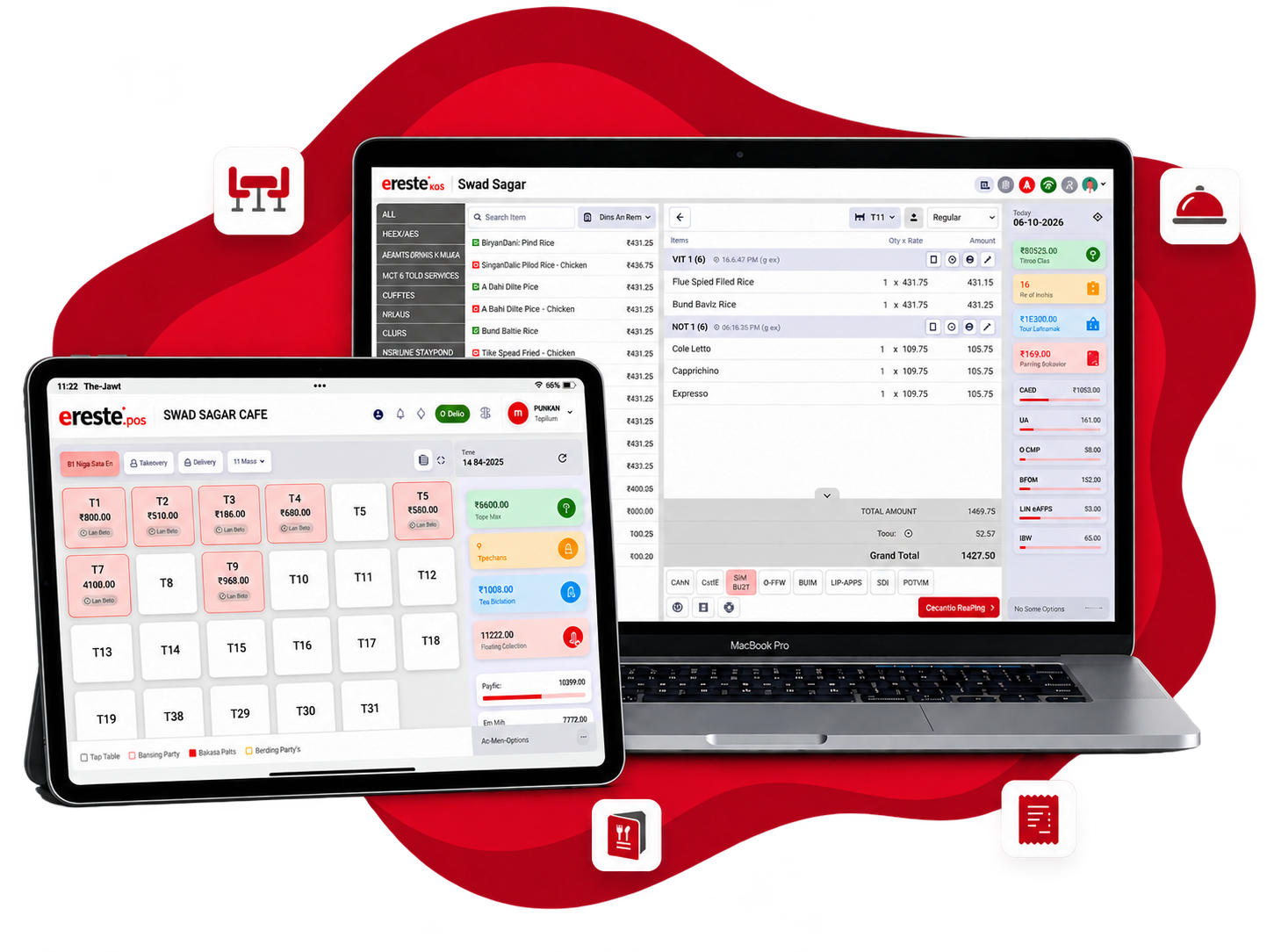
Every billing scenario. One app.
From counter billing at a QSR to multi-table settlement at a fine-dine — eresto Edge handles it without switching screens or tools.
Fast counter & table billing
Raise a bill for a table, takeaway or delivery in seconds. Add items, apply discounts, split by payment method and print — all in one continuous flow.
KOT printing to the kitchen
Every order fires a Kitchen Order Ticket to your thermal printer the moment it's confirmed — category-wise if needed. The kitchen never waits for a captain to walk over.
Kitchen announcements New
Every new order is announced aloud in the kitchen — through a speaker, or through your KDS. Any order, however it was placed. See how →
Multi-mode settlement
Cash, card, UPI, credit account or a split across any combination — settle the way the guest wants to pay. All modes reflected in reports automatically.
GST-ready bills
Taxes calculated per item, per rate, per FSSAI category — printed on a GST-compliant thermal bill. No manual tax workings at the counter.
Modify, hold and transfer
Hold a bill mid-service, transfer a table, void an item — without losing the order. Edge keeps the bill editable until the guest actually pays.
Live in eresto Plus reports
Every bill settled in Edge flows straight into eresto Plus — sales totals, item performance, collection by mode and shift summaries, all in real time.
Every order, announced in the kitchen.
No more shouting across the pass or glancing at a screen. eresto Edge announces each new order aloud — through a speaker, or through your KDS. Any order counts: punched at the counter, sent by Captain or placed by a guest on digiMenu.
- Table 32× Veg ThaliKOT sent
- Table 41× Butter Chicken · placed 14 min agoNearly due
- Table 92× Masala Dosa · placed 3 min agoOn track
One more thing with KDS: because KDS tracks which items are still undelivered, it also calls out any item that has stayed undelivered beyond its service time — so a late dish is heard, not just seen.
Internet goes down. Billing doesn't.
Power cuts, weak signals, router reboots — Indian restaurant kitchens see all of these. eresto Edge stores every bill and KOT locally and syncs automatically when connectivity returns. Service never stops.
- ✓ Full billing and KOT functionality with zero internet
- ✓ Kitchen printers keep working over local LAN even offline
- ✓ Kitchen announcements keep playing offline too
- ✓ All bills and settlements preserved — nothing lost on reconnect
- ✓ Sync happens silently in the background — no manual action
- ✓ Works on your existing Wi-Fi — no special hardware required
Use the devices you already have.
No proprietary hardware to buy. eresto Edge runs on Windows desktops, Android tablets and Android phones — whatever your counter already has.
Windows desktop or laptop
Ideal for a busy counter — full keyboard billing, multi-window support, and connection to your existing thermal printer over USB or LAN.
Windows 10 / 11Android tablet
A 10-inch tablet on a stand makes a clean, space-saving billing counter. Same full app — no mobile-version compromises.
Android 9+Android phone
For roving billing, pop-ups or food trucks — the Edge app works equally well on a handset, with the same bill flow and printer support.
Android 9+Edge works as a team — not alone.
eresto Edge is the billing engine at the heart of eresto One. On the floor it connects live with eresto Captain (tableside ordering) and eresto KDS (kitchen display). Above the floor, eresto Plus — browser-based — is where you configure everything, manage inventory and pull all reports.
eresto Plus — online back-office & reporting
Browser-based, runs anywhere. Build menus, configure outlets, set permissions, track inventory and expenses, run promotions and loyalty, pull live reports. Every setting that controls Edge, Captain and KDS lives here.
eresto Captain
Tableside ordering on Android. Fires orders instantly to Edge and the kitchen.
eresto Edge
POS & billing. Receives Captain's orders, prints KOTs, settles bills — online or fully offline.
← You are hereFires KOTs to → KDS
Announces orders via → Speaker or KDS
eresto KDS
Kitchen display. Every order lands the moment it's confirmed, with SLA timers.
Announces new and overdue orders aloud
Edge is the billing engine for the whole floor.
When used as part of eresto One, Edge receives orders from the Captain app, fires KOTs to the KDS, and settles bills — without a single item re-typed.
Guest orders on digiMenu
Guest scans the QR at the table and submits their order from their own phone.
Captain or Edge confirms
The order pings Edge and the Captain app at once. Either confirms — no double entry.
KOT fires and is announced
A KOT prints, the order is announced in the kitchen, and the item appears live on the KDS. Kitchen prepares from the screen.
Edge settles & reports
Bill raised in Edge, payment collected, transaction flows into eresto Plus instantly.
One plan. Everything included.
eresto Edge is included in eresto One — no separate charge for any individual app.
- ✓ eresto Edge — POS & billing (this page)
- ✓ eresto Captain — tableside ordering
- ✓ eresto KDS — kitchen display + SLA timing
- ✓ eresto Queue — waitlist & guest CRM
- ✓ eresto digiMenu — QR menu & feedback
- ✓ eresto Plus — inventory, reports & all settings
- ✓ Online + offline, on any device
- ✓ Local onboarding & support included
eresto Edge, explained.
Does eresto Edge work without internet?
What hardware do I need to run eresto Edge?
Can I run eresto Edge on multiple devices at once?
Can eresto Edge announce orders in the kitchen?
What speaker do I need if I don't use KDS?
What does KDS add to announcements?
Do kitchen announcements work offline? Which language?
Is eresto Edge included in eresto One?
How long does setup take?
See eresto Edge live on your own menu.
30 minutes. We'll set up your menu, show you billing end-to-end, and answer every question. No commitment, no card required.