Every order in the kitchen — the moment it's placed.
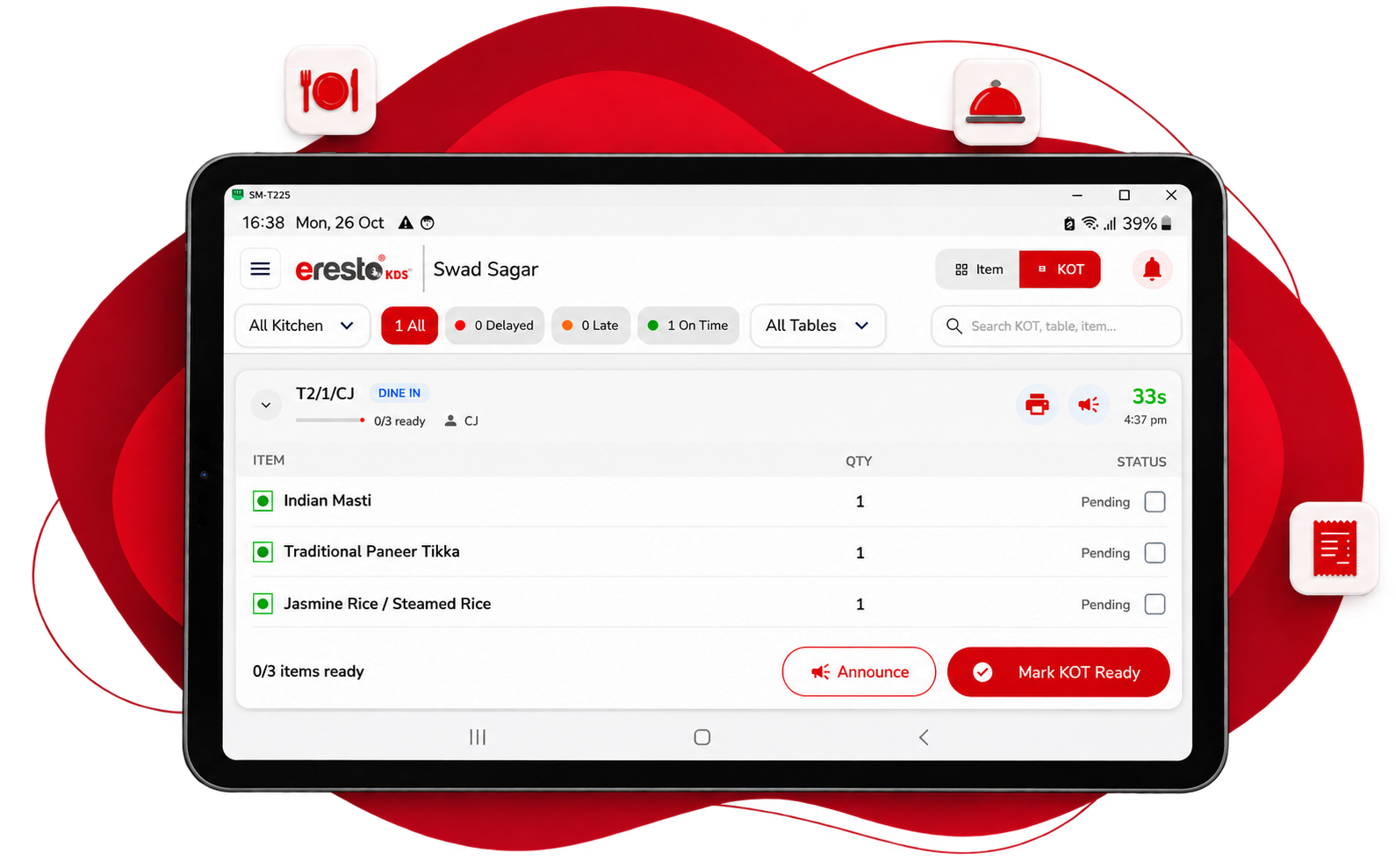
eresto KDS replaces paper KOTs with a live Android tablet display. Orders land instantly, SLA timers flag late dishes in red, and every delay is logged so you can fix what slows you down.
The kitchen always knows what's next.
eresto KDS puts every live order in front of the kitchen team — with timing, priority and delivery status — so nothing is missed and no dish runs late unnoticed.
Instant order display
The moment eresto Edge confirms an order — whether from the Captain app, a QR scan or the counter — it appears on the KDS screen. No printing delay, no walking a slip to the kitchen.
Built-in SLA timers
Every ticket shows a live running timer from the moment the order was placed. Set a normal service time per item in eresto Plus — cross it, and the ticket changes colour. Green → amber → red.
Item-level delivery marking
Kitchen staff mark individual dishes as delivered when they leave the pass. Edge and the Captain app both reflect delivery status — so the floor team knows what's on its way without asking.
Kitchen announcements New
KDS announces every new order aloud, and calls out any item left undelivered beyond its service time — repeating the reminder until the kitchen acts. A late dish is heard, not just seen. See how →
Delay analytics in eresto Plus
Every overdue ticket is logged with its item, table, time and delay duration. eresto Plus surfaces this as a report — managers can see which dishes consistently slow service and make informed changes.
Runs on any Android tablet
KDS works on any Android tablet — wall-mounted or counter-placed. No proprietary screen, no special hardware. Mount it where the kitchen team can see it best and the app does the rest.
No paper, no clutter
Replace the thermal printer churning out KOT slips with a single clean screen. Fewer consumables, less clutter, and no slips lost at the bottom of the pile.
Late dishes turn red. Nothing slips.
You set the expected service time for each dish category in eresto Plus. The KDS counts up from the moment the order is placed. Cross the threshold and the ticket colour changes — so a supervisor sees the problem before the guest feels it.
- ✓ Set individual SLA targets per dish category in eresto Plus
- ✓ Tickets turn amber as they approach the limit, red when overdue
- ✓ Supervisor sees all tables on one screen — no guessing what's delayed
- ✓ Every overdue ticket logged with table, item and delay duration
- ✓ eresto Plus reports show which dishes cause delays most often
- ✓ SLA targets can differ per session — breakfast vs dinner
Red on the screen. Loud in the kitchen.
A colour change only helps if someone is looking. With announcements on, KDS speaks up: every new order is read out the moment it lands, and any item left undelivered past its service time is called out — again and again at regular intervals — until it's delivered.
Don't use KDS? eresto Edge can announce each new order through a wired or Bluetooth speaker instead.
KDS works with eresto Edge — not without it.
KDS is the kitchen-side display. It shows what Edge sends it. Here's how the two apps divide the work.
It is part of eresto One. Orders reach the KDS screen only after eresto Edge (at the billing counter) confirms them. Without Edge running, there are no orders for KDS to display. Learn about eresto Edge →
KDS is the kitchen end of the platform.
Orders come from eresto Captain or directly from eresto Edge, appear live on KDS, and all delay data flows back to eresto Plus — where SLA targets are set and reports are read.
eresto Plus — SLA settings, reports & back-office
Browser-based, runs anywhere. Set SLA targets per dish category, view delay analytics, build menus, manage inventory and pull all sales reports.
eresto Captain
Tableside ordering. Fires KOTs via Edge that appear on KDS.
eresto Edge
Billing counter. Confirms all orders and fires them to the KDS kitchen display.
Sends announcements to → KDS
eresto KDS
Kitchen display. Live orders, SLA timers, delivery marking and delay logging.
← You are hereAnnounces new and overdue orders aloud
KDS is the kitchen end of a zero-paper order flow.
From order placed to dish leaving the pass — every step is visible on the KDS, timed, and logged.
Order placed
Guest orders via QR or captain punches tableside — it hits eresto Edge instantly.
Edge confirms
Billing counter confirms the order. KOT fires to the KDS screen, the order is announced aloud, and the timer starts immediately.
Kitchen prepares
KDS shows the live ticket in green. Turns amber near SLA limit, red when overdue — visible to the supervisor, and announced aloud until the item is delivered.
Dish marked delivered
Kitchen marks delivered on KDS. Delay (if any) is logged to eresto Plus analytics.
eresto KDS, explained.
Can eresto KDS be used without eresto Edge?
What hardware does eresto KDS run on?
How do SLA timers work?
Does eresto KDS announce orders?
How do overdue announcements work?
Can we have multiple KDS screens in one kitchen?
Where do delay reports appear?
See KDS and Edge working together live.
30 minutes. We'll show you the full order flow — from placement to kitchen screen to delivery mark. No commitment required.