Restaurant Management Software: What to Look for Beyond Billing
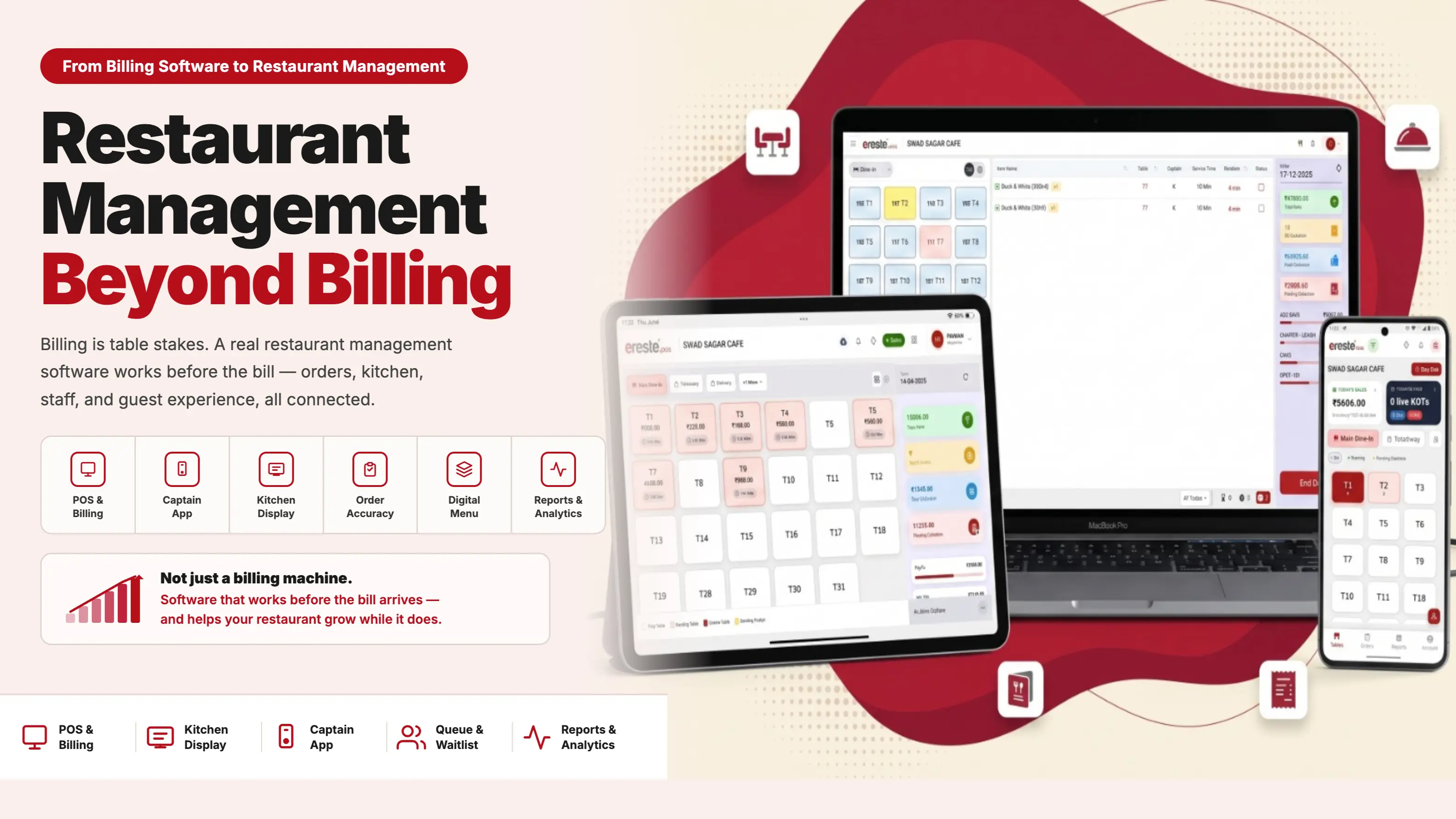
Most restaurant owners spend the first hour of a software demo asking about the billing screen. That’s understandable — billing is visible, familiar, and easy to compare. It’s also the least useful hour of the conversation.
Because billing is solved. Every serious restaurant management software today comes with a robust billing system. The real question — the one most restaurants never get to — is what the software does for everything else.
Every restaurant already has its own strengths — its food, its people, its service style, its concept, its location, whatever USP makes it different. The right software should sharpen those strengths and help the restaurant extract more value from them.
A restaurant known for great food should be able to serve that food more efficiently. A restaurant known for exceptional service should be able to empower its staff to deliver it consistently. A restaurant that wins on speed should be able to cut every unnecessary delay. A restaurant with a loyal customer base should understand those customers better every visit.
Yet when most restaurants start evaluating software, the first questions are all about the billing machine:
- How fast is it?
- Can it handle different payment modes?
- Can it manage discounts?
- Can it print the bill properly?
- Can it generate the reports we need?
There is nothing wrong with asking these questions. But this way of evaluating software made more sense 5–10 years ago. Today, the billing screen is table stakes. It’s what you should expect as a given — not what you should use to decide. For a full comparison and a buyer checklist, see our restaurant billing software page.
”Can this software make a bill?”
”What else can this software do to help me run my restaurant better?”
A restaurant does not operate around a bill. It operates around guests, orders, kitchens, tables, staff, ingredients, service, payments and decisions. That is where the real power of restaurant software begins — from organising guests at the door with restaurant queue management to running a synchronized kitchen and floor.
Everything That Happens Before the Bill
Billing is only one event in the life of a restaurant transaction — and it happens at the end. Before a bill is generated, a great deal has to happen correctly.
The guest needs to understand the menu and find what they want. The order has to be taken accurately and communicated to the kitchen. And then there are special instructions, which matter far more than they look:
- More spicy. Less spicy.
- With garlic. Without garlic.
- Jain preparation.
- Any other specific requirement a guest may have.
These may look like small details. For the guest, they are not. If a special instruction is not captured correctly or not communicated properly to the kitchen, the restaurant serves something different from what the guest asked for. That is not a billing problem. No billing software in the world catches it.
Good restaurant software is not simply recording what happened — it is helping things happen better.
Every unnecessary step, every repeated entry, every missed instruction, every communication gap or avoidable delay between order and plate is an opportunity for software to make the operation better. The billing screen has nothing to do with any of it.
A Digital Menu Is an Operational Tool — Not a Replacement for a Printed Card
One of the biggest opportunities restaurant software creates is making the guest’s interaction with the restaurant simpler and more informed — before a single order is placed.
A well-designed Digital Menu means a guest does not have to scroll through a long list or depend entirely on a captain to explain options. Every dish has a proper description, an actual photograph and the information needed to make a choice — with the ability to filter and search:
- Vegetarian · Non-vegetarian · Jain · Regular
- Search for a specific dish instead of browsing page by page
- Explore the menu at their own pace, on their own phone
The guest makes a more informed choice, finds what they want faster, and the captain spends less time explaining and more time serving. That is not a cosmetic improvement. It changes the pace and quality of the entire table interaction.
And when the Digital Menu is connected to the restaurant’s ordering system, the guest’s selection moves directly into the kitchen workflow — no re-entry, no transcription error. At that point the Digital Menu is no longer just a replacement for a printed card — it becomes part of how the restaurant operates. See how eresto digiMenu works →
It becomes part of how the restaurant operates.
A well-designed menu can also surface relevant add-ons, beverages, combinations or desserts at the right moment in the ordering journey — creating an upselling opportunity while the guest is already deciding.
”Do you have a Digital Menu?”
”What does your Digital Menu actually do for your guest and your kitchen?”
See the filter and search feature in action — Digital Menu Ep-6: Filter and Search →
We’ve covered what separates a real digital menu from a PDF behind a QR code in detail — What Is a Digital Menu? →
A KDS Is Not Just a Kitchen Screen
It is easy to look at a Kitchen Display System and think: “It is just a screen showing orders in the kitchen.” That misses the point entirely.
Without an effective digital kitchen workflow, restaurants depend on printed tickets, verbal communication, memory and repeated checking. With a properly connected KDS, the kitchen has a live view of exactly what needs attention:
- What needs to be prepared right now?
- What is pending and what has been completed?
- Where is there a delay building up?
The objective is not the screen. The objective is better coordination. Better coordination means less avoidable delay, better TAT and more predictable service. The guest never knows a KDS was involved. They simply experience a table that runs well.
Operational Efficiency Is More Than Saving Time
When people hear “operational efficiency”, they think about reducing headcount or saving a few minutes. Operational efficiency in a restaurant is far more specific than that.
Use software to reduce the amount of unnecessary work your people have to do. Let your staff spend less time chasing information and more time using it.
Capturing a special instruction correctly and making sure it reaches the right kitchen station — that is operational efficiency. A guest finding the dish they want through a menu filter instead of asking someone to explain every option — that is operational efficiency too. Neither shows up on a billing report.
Time Is Capacity in a Restaurant
If an order reaches the kitchen faster, that saves time. If the kitchen processes it more efficiently, that saves time. If billing and payment are faster, that saves time. If a table turns around cleanly, that creates capacity.
One saved minute looks insignificant. Multiply it across hundreds of transactions a week and it becomes meaningful — a restaurant serving more guests using the same tables, the same kitchen, the same staff.
Operational efficiency is not only about reducing costs. It can also create revenue capacity.
Better Software Helps Your Staff Serve Better
A restaurant can invest heavily in improving the guest experience while overlooking the fact that the guest experience is mostly delivered by people. An informed, confident and less-frustrated staff member serves guests significantly better than one who is chasing information.
When staff don’t have to spend time looking for order status, correcting avoidable errors or relaying instructions verbally across the kitchen, they have more attention for the guest. That changes the nature of the interaction:
- Instead of simply taking an order — they understand what the guest actually wants.
- Instead of processing a transaction — they provide service.
- Instead of waiting for instructions — they make informed recommendations.
A well-placed recommendation for a beverage, add-on or dessert does not have to feel like selling. Done with the right information at the right moment, it is simply better service.
Consider something as routine as closing a table. In most restaurants, when a guest asks for the bill or wants to pay by QR code, the captain has to walk to the billing counter, generate the bill, collect the QR code or printout, and carry it back to the table — two trips minimum, more if there is a correction. eresto’s Captain App puts this capability directly in the captain’s hands: the captain can generate the bill and share a payment QR code from their own device, right at the table. The guest gets what they asked for immediately. The captain never leaves. One fewer trip, one better moment in the guest’s experience — and that is what it looks like when software genuinely empowers staff rather than just connecting them to a counter.
Customer Engagement Does Not Start With a Promotion
A guest’s experience inside the restaurant is itself the foundation of the relationship. If service is smooth, the order is accurate, the food arrives on time and special instructions are respected — the restaurant has already engaged that customer in the most meaningful way possible.
A promotion gives a customer a reason to return. A good experience gives them a reason to want to return.
Better operations build a better guest experience. A better guest experience builds satisfaction and stronger repeat behaviour. Add good customer data, relevant communication and well-designed offers to that foundation and the result is much stronger than any promotion running on a weak operational base.
The Right Software Should Sharpen Your Restaurant’s USP
Good restaurant software does not try to make all restaurants operate in exactly the same way. It helps each restaurant get more out of what it already does well.
- If your strength is exceptional service — software should help your staff deliver it more consistently.
- If your strength is speed — software should help you become faster and stay faster.
- If your strength is your menu — software should help guests discover and order from it more effectively.
- If your strength is customer relationships — software should help you understand and engage your regulars better.
The software does not replace your USP. It sharpens it.
What to Ask in Your Next Software Demo
Before your next demo, take this list with you. Ask each question directly. If the vendor’s answer is mostly about the billing screen, that tells you something important.
Eight questions beyond billing. Use these to evaluate whether a system will genuinely help your restaurant — or just record what already happened.
- How much manual work does it remove?Unnecessary writing, calling, walking, duplicate data entry, checking and reconciliation.
- Can it improve order accuracy?Does it capture special instructions correctly and route them to the right kitchen station?
- Can it improve TAT?Does information move faster between the guest, service team and kitchen — or does it still rely on paper and voice?
- Does it make your staff more informed?Can your people access the information they need, at the moment they need it?
- Does it improve the guest experience?Faster, more personalised and more consistent service — not just on a good day.
- Does it create upselling opportunities?Can it help staff or guests discover relevant add-ons, beverages and combinations at the right moment?
- Can it help you engage and retain customers?Does it give you the data and tools to understand your regulars and bring them back?
- Can management make better decisions with it?Does it give you visibility into what is happening across your restaurant — not just what was billed?
Don’t Just Use Software to Manage Your Restaurant. Use It to Achieve and Sustain Growth.
Your restaurant already has its strengths. The billing screen will work fine — that was true of every system you looked at.
The question is what happens in the hour before the bill arrives: whether the order was taken accurately, whether the kitchen had what it needed, whether the guest found what they were looking for, whether the staff had the information to do their job well.
That is where good software earns its place. Not at the end of the transaction — throughout it.
Ready to Move Beyond Billing?
Book a demo and we’ll walk you through every point on that list — with your own restaurant’s operation in mind.
Book a Demo with eresto →Frequently Asked Questions
Is billing not important in restaurant management software? Billing is important, but it is table stakes — every serious restaurant management software today comes with a robust billing system. The real question is what the software does for everything else: order accuracy, kitchen coordination, staff empowerment, guest experience and management decisions.
What should I look for in restaurant management software beyond billing? Look for how much manual work it removes, whether it improves order accuracy and special instruction handling, how it connects the front of house to the kitchen, whether it empowers your staff with information at the table, and whether it gives management useful operational visibility.
What is a Captain App in restaurant software? A Captain App is a mobile application used by restaurant service staff to take orders, manage tables and — in advanced systems like eresto — generate bills and share payment QR codes directly at the table, without needing to walk to a billing counter.
How does restaurant management software improve guest experience? By reducing order errors, improving TAT, enabling staff to make informed recommendations at the table, and giving guests tools like a digital menu to explore, filter and search — all of which add up to faster, more personalised and more consistent service.
Can restaurant software help with upselling? Yes. A well-designed digital menu can surface relevant add-ons, beverages, combinations and desserts at the right moment in the ordering journey. Staff with the right information in hand can also make informed recommendations that feel like service rather than selling.
Does restaurant management software help with customer retention? Yes — but the foundation is operational. A good guest experience builds the relationship; customer data, communication tools and well-designed promotions then extend it. Software helps with both, but the operational side comes first.