What Is a Digital Menu? (And Why a PDF Behind a QR Isn't One)
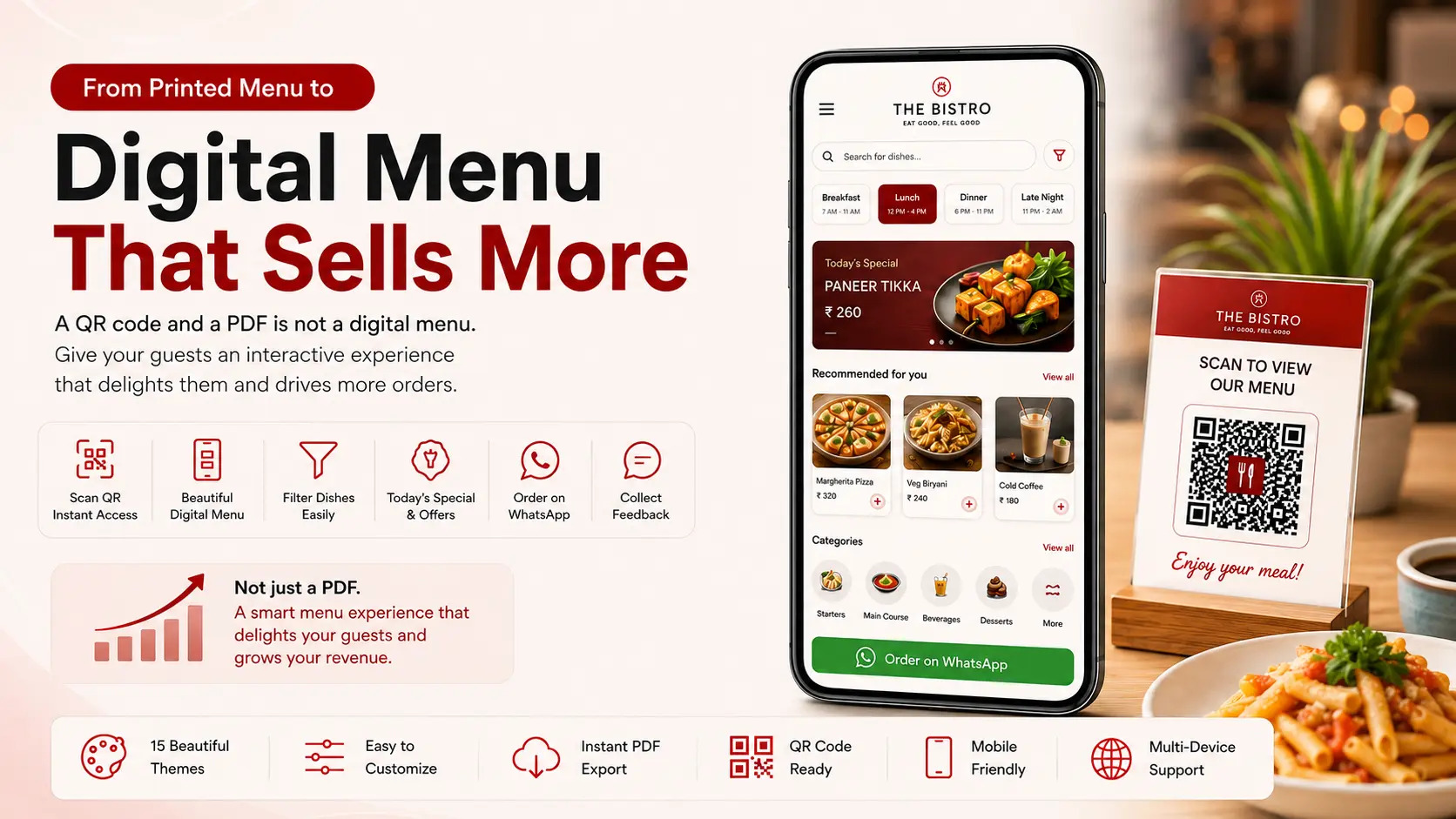
Scan the QR code at a lot of restaurants in India and you get a PDF — the printed menu, exported as a file. It’s the cheapest thing that can be called digital, and it isn’t a digital menu at all.
A PDF behind a QR code is a printed menu you have moved to a screen. It carries every limitation of paper except the paper.
A real digital menu is a live, web-based version of your menu that guests open on their own phone. It’s dynamic — updated from a dashboard in seconds. Change a price, hide a dish that’s run out, bring it back when it returns, and every guest sees the change immediately.
That last part is what makes it digital in any meaningful sense. Not the QR code. Not the fact that it appears on a screen. The fact that it can change.
And because it can change, it can respond. A real digital menu gives the guest an interactive, personalised experience — they search it, filter it to what they can eat, see it in their own language, and see only what’s actually available right now. A printed card gives every guest the same page and hopes it fits.
How a Digital Menu Works
There is no app, no installation and no setup on the guest’s side. The sequence is:
- The restaurant builds the menu once in a dashboard — categories, dishes, prices, photos, descriptions, portion sizes, dietary information.
- The system generates a link, and a QR code that points to it.
- The QR code goes on the table — on a standee, a sticker, the table mat, or printed on the bill folder.
- The guest scans it with their phone camera, and the menu opens in their browser.
- The restaurant edits the menu whenever it needs to, and the change is live for the next guest who scans.
Step five is the whole point. Everything else is delivery.
Printed vs PDF vs Live Digital Menu
Three quite different systems get sold under the same name. They look similar from a distance and behave nothing alike.
| Printed menu | PDF behind a QR | Live digital menu | |
|---|---|---|---|
| Change a price | Reprint everything | Re-export, re-upload | Seconds, from a dashboard |
| Hide a sold-out dish | Not possible | Not practical | One click |
| Search a 200-item menu | Flip pages | Pinch and zoom | Type two letters |
| Filter veg / Jain / vegan | Not possible | Not possible | One tap |
| Dish photographs | Costly, adds pages | As designed, fixed | Every dish, changeable |
| Different menu at breakfast | Second printed card | Second file, staff swaps it | Automatic, same QR code |
| Reads well on a phone | — | Poorly | Built for it |
| Update calorie or allergen info | Reprint | Re-export | Edit a field |
| Share with someone at home | No | Awkward | It’s a link |
| Ongoing cost | Every print run | Design charges | Subscription, no printing |
The honest summary: a PDF menu solves the distribution problem and none of the others. If your reason for going digital was to stop reprinting, a PDF gets you halfway there and then stops.
What Actually Sits Behind Each Dish
The reason a live menu behaves differently comes down to how the menu is stored. A PDF is a picture of words. A live digital menu keeps every dish as its own record, with its own fields — which is what makes it searchable, filterable and switchable.
On a live menu, a single dish typically holds:
- Name — in English and optionally a second language
- Description — a line or two on what it is and how it’s made
- Photograph — the dish as it actually arrives at the table
- Price — with multiple price lists, so dine-in and room-service rates can differ
- Portion size — how much it is, and how many it serves
- Calorific value — where the restaurant displays it
- Allergens — declared per dish rather than in a footnote
- Veg / non-veg — including egg marking
- Attribute tags — Jain, vegan, spicy, bestseller, chef’s special
- Availability — a switch that hides the dish from every guest instantly
None of these are exotic. But a PDF can only show them; it can’t use them. A guest can’t filter a PDF to Jain items, because the PDF doesn’t know which items are Jain.
Two of those fields aren’t only a service courtesy — India’s menu labelling rules expect covered establishments to display calorie and allergen information. On paper, every recipe revision that changes a calorie count is a reprint you’ll postpone. On a live menu it’s a field you edit. (What FSSAI actually requires →)
This is the level a digital menu has to work at to be worth having. In eresto digiMenu, every one of those fields sits behind each dish — name in two languages, photograph, description, portion, calories, allergens, veg marking, attribute tags, multiple price lists and a live availability switch — all editable from one dashboard, with the change visible to the next guest who scans.
Is a Digital Menu Right for Your Restaurant?
Broadly, yes — but the reason differs by format, and it’s worth being clear about which reason is yours.
- Fine dining. The pull is presentation and information depth: photographs, provenance, wine notes, allergens — without turning the physical menu into a brochure. Many keep a printed card at the table and use the digital menu alongside it.
- Casual and multi-cuisine. The pull is size. A 200-item menu is genuinely hard to navigate on paper; search and filters solve a real problem.
- QSR and cafés. The pull is speed, and self-ordering where it suits the format.
- Hotels. The pull is that one QR code can serve breakfast, lunch, high tea, dinner and a late-night list at different hours without staff swapping cards. (In-room dining: the full case →)
- Cloud kitchens and bakeries. The pull is that the menu is a link — it can be sent on WhatsApp, put in an Instagram bio, or shared with someone who was never in your restaurant.
The one situation where it’s a poor fit is a very small fixed menu that genuinely never changes — a six-item tea stall doesn’t need a dashboard.
Frequently Asked Questions
Is a QR code menu the same as a digital menu?
No. The QR code is only the doorway. What matters is what it opens. If it opens a static PDF, you have digitised the delivery method and nothing else — the menu is still frozen, just frozen in a file instead of in lamination.
Do guests need to download an app?
No. A digital menu opens in the phone’s browser as soon as the QR code is scanned. Any system that asks guests to install an app before they can read a menu has misunderstood the problem.
Does it work without internet?
The guest needs a data connection to load the menu, which nearly everyone has. It’s worth keeping a few printed cards for the rare guest who can’t or would rather not scan.
Will older guests struggle with it?
Less than restaurant owners expect. The same guests order from delivery apps and scan codes to pay. It also isn’t all-or-nothing — most restaurants keep a small number of printed menus available while everyone else scans.
What does a digital menu cost?
Typically a monthly or annual subscription, usually less than a restaurant spends on a single print run — and it removes reprinting from the budget entirely. The cost that surprises people is dish photography, which is optional but makes the biggest difference.
Can I keep my restaurant’s look and branding?
Yes. Menu themes let the digital menu match your format and brand rather than looking like a generic template.
Can eresto digiMenu take care of FSSAI menu item labelling?
Yes — it gives every dish the fields the rules ask for: calorific value, serving size, allergen information and veg/non-veg marking, displayed on the item itself and editable whenever a recipe changes. The one thing it can’t do is supply the numbers; those come from your kitchen, and the restaurant stays responsible for their accuracy. What digital removes is the reason they go stale. (What FSSAI actually requires →)
What Your Menu Should Be Able to Do by Tomorrow
Forget vendors for a moment and look at the menu you have now. Tonight, a dish will run out. This month, a supplier will raise a price. Next week, someone will ask whether the paneer dish has nuts in it.
With a live menu, each of those is a fifteen-second edit. With anything else, each one is a decision you postpone — and postponed decisions are how a menu quietly drifts a year out of date without anyone choosing that.
That’s the case for going digital, and it’s mostly a defensive one: stop the menu from decaying. The offensive case is larger and quite different — not what the menu can do, but what it should do once it’s free to change. We’ve covered that separately in Digital Menu: Your Best Sales Tool and how it fits into your broader operations in Restaurant Management Software: What to Look for Beyond Billing.
eresto digiMenu is a live digital menu built for Indian restaurants — search and filters, photographs, portion and calorie display, session and season menus, live availability and 15+ themes, all managed from one dashboard. Book a free demo and we’ll set it up with your own dishes on the same call.